
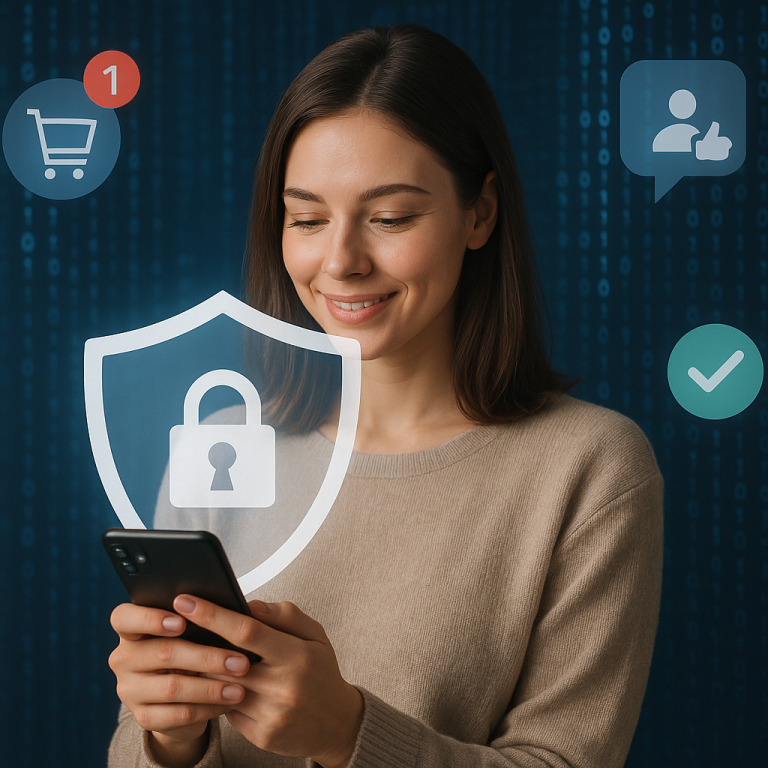
Online shopping has become a vital part of everyday life, with convenience, variety, and instant gratification at our fingertips. But as much as the digital marketplace evolves, so do the tactics of cybercriminals. From data breaches to fake websites, the threats have never been more sophisticated. At VIP Safety First, we’re here to energize and empower online shoppers with the tools they need to stay protected. This isn’t just another safety list — it’s a data-backed playbook built for today’s digital reality.
Understand the Digital Landscape Before You Click ‘Buy’
According to Statista, over 2.64 billion people worldwide shop online in 2023. That massive digital footfall makes e-commerce a goldmine for hackers. But knowing what you’re up against is your first defense.
- In 2022 alone, e-commerce fraud losses exceeded $48 billion globally (Juniper Research).
- Phishing scams impersonating shopping platforms increased by 167% YoY during holiday seasons (Security Magazine).
- 68% of consumers reuse passwords across sites, increasing vulnerability (Google Security Report).
This data highlights one thing loud and clear: vigilance is your greatest tool. Our goal is to help you shop smarter—not scared.
Tip #1: Use Anonymous App Registration to Guard Your Digital Identity
One of the simplest, most effective safety hacks? Anonymous app registration. When signing up for a new store app or website, avoid connecting your real email or main mobile number.
Using anonymous or disposable credentials protects you from data leaks, phishing, extortion, and ad tracking. A 2023 study by NordVPN found that 32.2% of users who signed up with personal details were targeted by unwanted marketing texts within 72 hours.
Platforms like BurnerMail, AnonAddy, and SignupShield let you create masked emails that forward to your real inbox—keeping you engaged without compromising privacy.
Tip #2: Verify the URL Before Entering Any Information
Phishing websites are crafted to mirror legit sites. Just a single mistaken character in a URL can put your credit card and identity at risk.
Always verify the website’s SSL certificate (look for “https://” and a padlock symbol). If something seems off—like unnecessary redirects, odd domain names or pixelated logos—abort mission immediately.
According to IBM Security, phishing remains the top cause of data breaches for the third year in a row. Don’t be a statistic—let URL awareness become second nature.
Tip #3: Opt for Payment Gateways That Add a Layer of Protection
Data shows that using wallet services such as Apple Pay, PayPal, or Google Pay significantly reduces risk. Unlike entering card details directly, these services tokenize transactions—meaning your real financial information is never revealed.
Moreover, you gain buyer protection, real-time notifications, and faster dispute processes. A PayPal Transparency Report shows that 87% of fraud claims using the platform are resolved within 10 days—compared to 35+ days via traditional card chargebacks.
Tip #4: Monitor Your Digital Footprint Using Proactive Apps
Cyber hygiene isn’t about reacting after damage occurs. It’s about monitoring in real-time. Tools like DeleteMe, Privacy Bee, and Aura scan the internet and data broker sites to see where your information is circulating.
These insights help you request removals, lock down exposed credentials, and receive alerts when your data is compromised. A comparative data review by VPN.org shows these services reduce data exposure by up to 74% within the first 45 days of use.
Tip #5: Always Factor in Website Reputation Before Checkout
User reviews, Better Business Bureau (BBB) ratings, and TrustPilot scores are not vanity stats—they’re red flags or green lights. Digital trust is built through transparency and verified experiences.
If a site lacks contact info, an About page, or repeat customer testimonials, consider it a red flag. ScamAdvisor reports that 52% of fake e-commerce sites crumble within 90 days—but not before defrauding thousands.
Tip #6: Use Strong, Unique Passwords and a Credible Password Manager
A Google cybersecurity study revealed that 65% of users reuse passwords across multiple shopping platforms. That’s like using one key for your house, car, and locker—inviting disaster.
Use strong, complex passwords and store them in a password manager like Bitwarden, 1Password, or LastPass. These tools encrypt your credentials and help detect reused or compromised passwords instantly.
Tip #7: Beware of “Too Good to Be True” Deals—They’re Usually a Trap
Scammers use psychological triggers like urgency, scarcity, and unbelievable discount offers to prod you into rushed purchases. Data shows that 40% of scam victims during Black Friday fell for “limited-time-only” deals from illegitimate sites—not even realizing they were duped until their package never arrived.
Use price comparison engines like Google Shopping or CamelCamelCamel to verify historical pricing trends. If one site lists a $400 gadget for $75 with sketchy reviews—it’s likely a scam, not a steal.
Tip #8: Enable Two-Factor Authentication on Shopping Platforms
Beyond passwords, two-factor authentication (2FA) adds a physical or application-based shield to your login process. Whether it’s a text code, email link, or authentication app, this minimal step drastically cuts risk.
Global security firm Duo found that account hacks dropped over 98% among users who enabled 2FA—especially on platforms like eBay, Amazon, and Etsy.
Tip #9: Use Encrypted Browsers and VPNs When Making Purchases
Public Wi-Fi is a hacker’s playground. Coffee shop browsing is great for memes, not for entering your payment credentials. Instead, use an encrypted browser like Brave or install a vetted VPN (NordVPN, ExpressVPN) before logging into any shopping account on public networks.
Studies reveal that unsecured traffic is over 75% more vulnerable to session hijacking than encrypted surfing. If you value your financial identity, encrypt everything, everywhere.
Tip #10: Know Your Refund Rights and Return Policy Terms
Legitimate retailers proudly post clear return and refund policies. Scam sites bury them—or worse, exclude them entirely. If you’re clicking “purchase” before checking return clauses, you’re flying blind.
Consumer Reports confirms that 16% of online shoppers reported loss due to unclear or fraudulent refund processes in unfamiliar online stores. Avoid this trap by scanning through refund conditions and screenshotting them for future protection.
Data-Driven Comparison: How Anonymous App Registration Measures Up
Let’s circle back to anonymous app registration. Why is it such a powerful preventive tool?
| Method | Exposure Risk | Spam/Breach Incidence | Privacy Score |
|---|---|---|---|
| Standard Sign-Up (Email & Phone) | High | 72% | 🔓 2/5 |
| Social Media Login (Facebook/Google) | Very High | 88% | 🔓 1/5 |
| Anonymous App Registration Tools | Low | 12% | 🔐 5/5 |
The numbers speak for themselves. Anonymous app registration drastically reduces exposure. Combine that with VPNs, strong passwords, and vigilant browsing, and you’ve got a digital fortress even seasoned hackers struggle to crack.
The Final Word: Equip Yourself. Empower Your Clicks.
Online shopping doesn’t have to feel risky. With the right tools and awareness, you can reclaim control and browse with confidence. At vipsafetyfirst.com, we believe digital safety should be a lifestyle—not an afterthought.
Get started today by incorporating these ten proven practices into your online routine. Each step brings you one click closer to peace of mind. Shop smart. Shop safe. And remember—safety always comes first.