
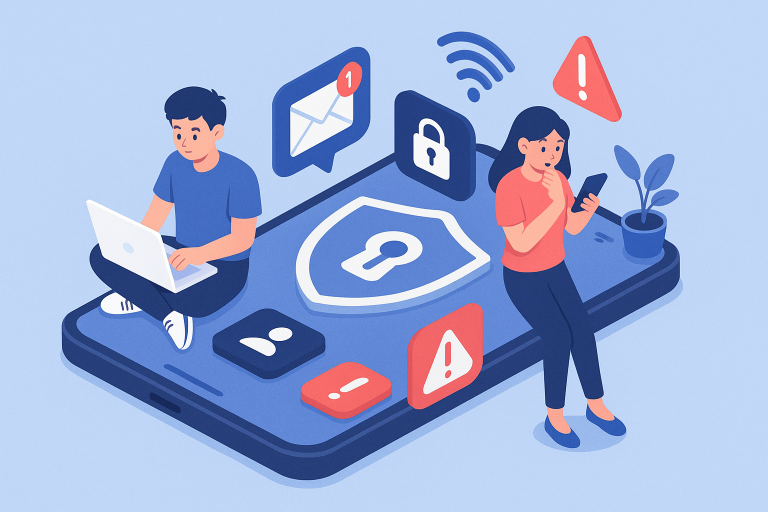
Remote work has gone from fringe benefit to full-time reality—and it’s here to stay. With the convenience of Slack messages, Zoom meetings, and cloud documents, the digital workforce has unlocked productivity on a global scale. But while you’re busy logging in and checking off tasks, there’s one area that too often gets overlooked: your personal safety and digital security.
At vipsafetyfirst.com, we believe that productivity is only half the equation. The other half? Keeping remote workers like you protected from digital vulnerabilities, personal privacy breaches, and safety threats while working from anywhere in the world.
Whether you’re dialing into meetings from your dining table, coworking space, or a beachside Airbnb, digital safety concerns follow. From using a private number for dating apps to safeguarding your financial info, it’s time you approached remote work like a grounded realist. Let’s walk through the must-follow safety checklist for remote professionals who want to work smarter—and safer.
Understanding the Risks of Working Remotely
Let’s start by demystifying the digital danger zone. Remote workers often think that working away from an office environment somehow insulates them from cyber threats—but the truth is, the opposite is often true.
- Unsecured Wi-Fi connections: That coffee shop network? It’s a playground for hackers.
- Outdated devices: Your personal laptop may lack the enterprise-level protections of company-issued hardware.
- Blurring of personal and professional tools: From using one phone for work and dating apps to managing finances from your work device—personal use increases risk.
- Isolation from coworkers: Without IT support or peer guidance, threats go undetected longer.
When you’re remote, every click is your responsibility. That’s not meant to scare you—it’s meant to empower you. Let’s walk through how to layer up your personal safety net.
1. Create a Digitally Secure Workspace
First things first: your workspace is more than just a comfy chair and fast Wi-Fi. It’s the front line of your digital defense system.
Here’s how to secure it:
- Use a VPN on all devices, especially when outside of your home network
- Update your software regularly—yes, even that annoying OS update
- Enable two-factor authentication for logins across email, file storage, and collaboration tools
- Use strong, unique passwords for each account (and store them in a secure password manager)
You wouldn’t leave your apartment door wide open while you work—don’t leave your digital door ajar either.
2. Separate Work and Personal Communication
We get it—it’s tempting to do everything on one phone. But blending work and personal communication isn’t just inconvenient, it’s risky.
What’s the solution?
Create distinct communication channels for different parts of your life. If you’re dating online, use a private number for dating apps. This prevents your real number from being tied to your professional identity or public profile.
Services like Google Voice, Burner, or any reputable VoIP provider can help you keep boundaries without sacrificing accessibility. This is personal safety 101 in the remote era.
3. Master Video Meeting Etiquette and Safety
Zoom fatigue may be real, but Zoom vulnerabilities are even more real. Here’s how remote workers can keep their virtual meetings secure:
- Always use meeting passwords
- Disable screen sharing by default to avoid accidental exposure of sensitive data
- Use waiting rooms to screen participants before letting them join
- Avoid using personal meeting IDs for public calls
And don’t forget your background—sensitive documents or family photos in view can compromise privacy. Always check your surroundings before hitting “Join Meeting.”
4. Stay Smart on Public Networks
Remote work and coffee shops go hand in hand. Unfortunately, so do coffee shops and cybersecurity threats. Public Wi-Fi is notoriously insecure, which opens you up to man-in-the-middle attacks, malware infections, and data theft.
To stay safe on public networks:
- Use a secure VPN the moment you connect
- Avoid sensitive work (like banking or discussing company strategy) on shared networks
- Turn off auto-connect to Wi-Fi
- Enable your firewall—it’s there for a reason
Bonus tip: tether to your mobile hotspot for an extra layer of security when in doubt.
5. Keep Your Devices Locked Down
The moment you step into the remote lifestyle, your devices become your office, your safe, and your filing cabinet. Treat them accordingly.
Here’s a minimalist checklist:
- Enable auto-lock after a short period of inactivity
- Use biometric or passcode locks for every device
- Set up “Find My” capabilities for remote wipe if your device is lost or stolen
- Don’t leave your electronics unattended in public—even for “just a second”
You wouldn’t leave your laptop on a train seat unlocked. Don’t treat digital security with any less seriousness.
6. Think Before You Share
In the digital age, oversharing is as much a security risk as malware. A single Instagram post or casual comment in a networking group can tip off bad actors.
Here’s what to avoid:
- Sharing your current location in real-time
- Announcing extended travel plans without a privacy filter
- Talking about company projects on unsecured forums
- Displaying full names, addresses, or contact details publicly
Protect your footprint like it’s currency—because in many ways, it is.
7. Prepare for the Worst
Being a grounded realist means preparing for worst-case scenarios, even while hoping for the best. Do you have a plan if your device is stolen? Can you operate using backups? Have you trained yourself or your team on phishing awareness?
Proactive moves to consider:
- Regularly back up your data—both locally and in the cloud
- Run through crisis drills like device theft, ransomware, or identity breaches
- Keep an emergency contact card with essential PINs, support numbers, and security access info
- Establish secure channels with your clients or employer for incident reporting
The clock is ticking when a crisis hits—preparation turns panic into protocol.
Ready to Prioritize Your Remote Safety?
Digital freedom is a beautiful thing. You’re not confined to a cubicle or a zip code. But that freedom brings the responsibility of safety, privacy, and awareness. Whether it’s using a private number for dating apps or setting up workplace firewalls from home, it’s time to treat your personal safety like a top-tier deliverable.
Don’t wait for a scare to build your safety toolkit. At vipsafetyfirst.com, we offer practical insight designed for the digital lifestyles we live today. Because safety isn’t optional—it’s operational.
Get started today. Protect your workspace, your data, and most importantly, yourself.