
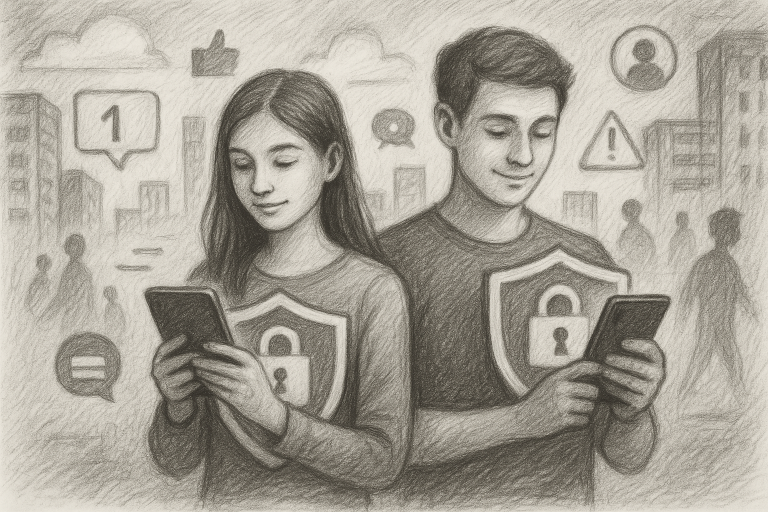
When Maya started using social apps, her parents expected the usual teenage distractions: endless scrolling, a few questionable memes, and the occasional “I’ll be off in five minutes” that somehow lasted 45. What they didn’t expect was how quickly online conversations could become stressful, time-consuming, and intrusive. Maya wasn’t doing anything unusual. She was meeting people through apps, chatting with new contacts, and trying to manage school, friends, and a digital life that never seemed to sleep. The turning point came when her family introduced a few practical safety habits—simple enough to use, sensible enough to stick with, and effective enough to give Maya back control of her time. Here are seven lessons from her real-life-inspired case study that parents and teens can use to make digital life safer and more productive.
1. Start with a “privacy before productivity” reset
Maya’s first problem wasn’t that she was spending time online. It was that she was spending too much time responding to people she barely knew. Her public profile made it easy for new contacts to find her, message her, and continue the conversation across multiple platforms.
Before discussing screen-time limits, her parents helped her review what information was visible: her full name, school, neighborhood, photos showing familiar locations, and links to other accounts. Together, they changed the settings so only approved contacts could view more personal content.
This matters because productivity begins with reducing interruptions. If strangers can discover a teen’s profile, send messages, and request personal details, the teen’s attention becomes the product. A privacy reset creates fewer distractions and makes it easier to focus on schoolwork, sleep, hobbies, and actual friends.
Try this: Set aside 20 minutes for a privacy audit. Review profile visibility, follower lists, location sharing, tagged photos, and linked accounts. If a setting is confusing, choose the more private option until you understand it.
2. Use a private number for dating apps and unfamiliar platforms
One of the most useful changes for Maya was separating her everyday contact information from apps where she might interact with new people. Her parents explained that a phone number can become a direct line to calls, texts, messaging apps, account searches, and unwanted contact. Once shared, it can be difficult to take back.
For adults using dating apps or other platforms involving unfamiliar contacts, a private number for dating apps can create an important boundary between personal life and online introductions. Parents should also discuss age restrictions and platform rules with teens: many dating apps are intended for adults and are not appropriate for minors. The broader lesson still applies to teen-safe services, gaming communities, group chats, and marketplace platforms: don’t hand out a primary number simply because someone asks.
A separate number or privacy-focused communication option can help users decide who gets access to their main contact details. It also makes it easier to stop communication if a conversation becomes uncomfortable. This isn’t about hiding online activity from parents or encouraging secret accounts. It’s about building sensible boundaries and keeping personal information on a need-to-know basis.
Try this: Create a family rule: new online contacts do not receive a home address, school details, primary phone number, passwords, or private photos. If contact information is genuinely needed, discuss the safest option first.
3. Replace constant checking with scheduled message windows
Maya’s phone was interrupting her day like a tiny digital doorbell with no off switch. Notifications arrived during homework, meals, study breaks, and bedtime. Each one demanded attention, even when it wasn’t important.
Instead of relying on willpower—which is a charming theory but a shaky strategy—Maya and her parents created message windows. She checked social and nonessential messages after school, early in the evening, and briefly before putting her phone away for the night. Notifications were disabled for apps that did not require immediate responses.
This simple change improved both productivity and mood. Maya stopped feeling that she had to answer everyone instantly. She also discovered that most “urgent” messages were merely enthusiastic, repetitive, or somehow about a video that could have waited.
Try this: Turn off nonessential notifications and choose two or three times a day to check messages. Keep calls from trusted family members available if needed, but make the rest earn the privilege of interrupting you.
4. Create a “pause before reply” rule
In one online conversation, a new contact began asking Maya personal questions: where she went to school, when she was usually home, and whether her parents checked her phone. The questions were presented casually, but the pattern made Maya uncomfortable.
Previously, she might have replied quickly just to avoid seeming rude. Her new rule was simple: pause before answering questions that involve identity, location, routines, family, money, or private images. She could ignore the message, block the account, or show it to a trusted adult.
The pause created space between the notification and the decision. That tiny gap is valuable. Manipulative contacts often rely on speed, pressure, flattery, guilt, or fear. A teen who understands that they never have to reply immediately is harder to rush into a poor choice.
Try this: Teach teens to ask three questions before replying:
- Do I know this person in real life?
- Why do they need this information?
- Would I be comfortable showing this message to a trusted adult?
If the answer to the third question is no, that is useful information—not a reason to hide the conversation.
5. Make blocking and reporting ordinary, not dramatic
Maya initially worried that blocking someone would appear rude. Her parents reframed it as a normal safety feature, like locking a door or muting a television commercial. A block is not a declaration of war. It is a boundary.
They also showed her how to save evidence before reporting an account when appropriate. She learned to capture usernames, dates, messages, and profile details without continuing the conversation. If a person makes threats, requests sexual content, attempts to arrange a secret meeting, or repeatedly ignores boundaries, the right response is to stop engaging and involve a trusted adult or the relevant platform.
Parents should avoid turning every concerning message into an interrogation. If teens expect immediate punishment for reporting a problem, they may stay silent. Calm questions work better: “What happened?” “What would help you feel safe?” and “How can we handle this together?”
Try this: Walk through the block, mute, restrict, and report tools on the platforms your teen uses. Do it before there is a problem, when everyone is calm and nobody is trying to find a button while stressed.
6. Protect productivity with a device-free sleep boundary
Even after improving her privacy, Maya was still tired. The reason was familiar: late-night messages, short videos, and the belief that one final scroll would somehow produce closure. It did not. The algorithm had other plans.
The family agreed that phones would charge outside the bedroom on school nights. Maya could use an alarm clock, and family members could reach one another through agreed emergency methods. The rule applied to adults too, which made it feel less like a teen punishment and more like a household habit.
Better sleep improved concentration, patience, and decision-making. Those are all digital safety tools. Fatigue makes it harder to recognize manipulation, resist impulsive replies, or notice that a conversation has crossed a line. A rested teen is better equipped to make thoughtful choices online.
Try this: Set a consistent charging location and a realistic wind-down time. Start with a trial period of one week, then adjust the routine based on what actually works.
7. Hold a weekly five-minute digital check-in
The biggest improvement came from making online safety an ongoing conversation rather than a one-time lecture. Every Sunday, Maya and her parents held a short check-in. They discussed what platforms she was using, whether any interaction felt uncomfortable, which settings needed review, and what support she wanted.
The meeting was deliberately brief. Nobody wanted a 90-minute family summit titled “The Internet Is Terrifying.” The goal was consistency, not drama. Maya could raise concerns before they became emergencies, and her parents could stay informed without demanding access to every private thought.
Parents can use these check-ins to discuss new features, scams, impersonation attempts, privacy changes, and healthy screen habits. They can also celebrate good decisions. If a teen blocks a suspicious account, refuses to share personal information, or asks for help early, that deserves recognition.
Try this: Ask three questions:
- What was the best thing about your online week?
- Did anything make you uncomfortable or interrupt your routine?
- Is there one setting, habit, or boundary we should improve?
What changed for Maya?
After several weeks, Maya was still active online, but her digital life felt less chaotic. She spent less time answering unwanted messages, stopped checking notifications during homework, slept more consistently, and became quicker to recognize pressure tactics. Most importantly, she no longer viewed privacy as something embarrassing or secretive. She saw it as a practical tool for protecting her attention and making choices on her own terms.
Her parents learned something too: productivity advice works best when it respects safety. Telling a teen to “just ignore it” is not a plan. Helping them control visibility, limit interruptions, protect contact information, and ask for support is a plan. The internet is not going away, and neither are the notifications. But families can decide which ones get access to their time, information, and peace of mind.
For more practical digital safety tips, visit VIP Safety First at vipsafetyfirst.com. Start with one privacy setting, one communication boundary, or one device-free routine today. Get started today—because safer digital habits are also smarter productivity habits.