
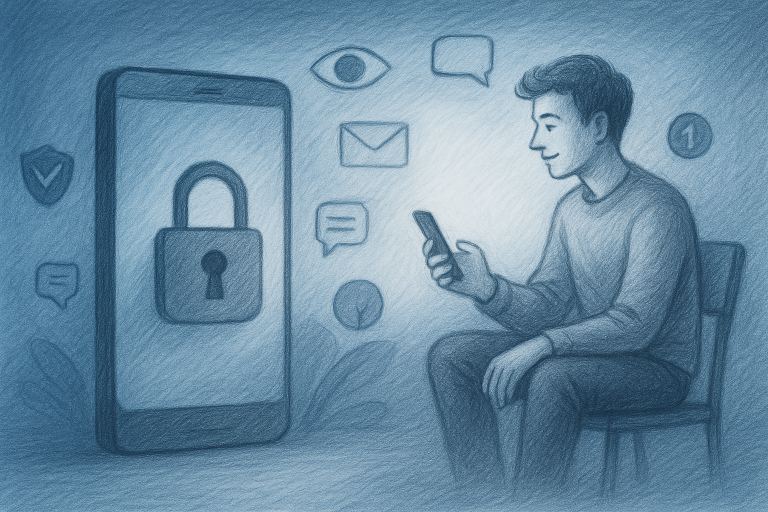
Signing up for a new app can feel routine: enter an email address, create a password, verify a phone number, and start using the service. Yet every registration may add another piece of personal information to a company’s database. For privacy-conscious consumers, anonymous app registration is less about disappearing completely and more about sharing only what is necessary. The right combination of tools can reduce spam, limit tracking, protect accounts, and make it easier to separate your digital identities. In this guide, we compare seven practical privacy tools and explain where each one works best, what it cannot do, and how to use it responsibly.
1. Email Aliases: Best for Reducing Spam and Data Linking
Email aliases are among the simplest tools for improving registration privacy. Instead of giving every app your primary inbox address, you create a unique forwarding address that delivers messages to your real account. If that alias later appears in a data breach or becomes a source of marketing messages, you can disable it without changing your main email address.
Best for: Newsletter sign-ups, trial accounts, shopping websites, and services you may not use regularly.
Advantages: Aliases limit exposure of your primary address, make unwanted messages easier to identify, and help reveal which company may have shared or sold your information. A unique alias for each service also improves organization and makes account recovery more manageable.
Limitations: An alias is not automatically anonymous. The service may still collect your IP address, device details, payment information, or real-world identity. Some websites also reject forwarding addresses or require a permanent email address for account recovery.
Practical tip: Use descriptive aliases that do not reveal unnecessary information. An address based on a service name is usually safer than one containing your full name, birth year, or location.
2. Privacy-Focused Email Services: Best for a Separate Digital Identity
A privacy-focused email provider can offer stronger protections than a conventional inbox, including end-to-end encryption for certain messages, reduced advertising, and clearer data-handling policies. This option is useful when you want a separate account for sensitive registrations, online communities, or services that you do not want connected to your everyday identity.
Best for: Creating a dedicated privacy mailbox, separating work and personal accounts, and reducing dependence on advertising-driven email platforms.
Advantages: These providers often minimize tracking, provide stronger account controls, and make it easier to establish distinct online identities. When combined with an alias system, they can provide both separation and flexibility.
Limitations: Privacy-focused email is not a magic cloak. The provider may retain some account information, and messages sent to ordinary email users may not receive the same encryption protections. You may also need a recovery method, such as another email address or phone number, depending on the provider.
Practical tip: Read the provider’s privacy policy before registration. Look for details about logging, account recovery, legal requests, and whether the service scans message content for advertising or other purposes.
3. Masked Phone Numbers: Best for Limiting Number Exposure
Many apps require phone verification, particularly financial, social, and communications services. A masked or secondary phone number can prevent your personal mobile number from being displayed to businesses, strangers, or online communities. Depending on the provider, the number may forward calls and messages to your normal device without exposing the underlying number.
Best for: Classified listings, marketplace transactions, short-term projects, customer inquiries, and services that require SMS verification.
Advantages: You can keep your personal number private, block unwanted contacts, and replace the number if it becomes heavily targeted. A dedicated number also helps separate personal communications from online activity.
Limitations: Some apps block virtual numbers or treat them as suspicious. A number that is recycled, temporary, or controlled by a third-party service may also create account-recovery problems. SMS itself is not a highly secure authentication method because phone numbers can be targeted through SIM-swapping and social engineering.
Practical tip: Do not use a disposable number as the only recovery method for an important account. For long-term services, choose a number you can reliably maintain and add an authenticator app or security key whenever possible.
4. Password Managers: Best for Unique, Unconnected Accounts
A password manager does not hide your identity directly, but it is one of the most important privacy tools available. It generates and stores a different password for every service, preventing one data breach from exposing multiple accounts. Many password managers also support secure notes, passkeys, masked email integrations, and breach alerts.
Best for: Every online account, especially email, banking, cloud storage, and accounts used for registration.
Advantages: Unique passwords make it much harder for companies, criminals, or automated systems to connect accounts through reused credentials. A manager also reduces the temptation to choose passwords based on names, birthdays, or other identifying details.
Limitations: Your password manager becomes a high-value account. If the master password is weak or the account lacks multifactor authentication, the protection is significantly reduced. Some people may also find the setup process unfamiliar at first.
Practical tip: Use a long, unique master passphrase and protect the manager with multifactor authentication. Where supported, choose passkeys for sign-in because they resist phishing better than conventional passwords.
5. Authenticator Apps and Security Keys: Best for Account Protection
Privacy begins with controlling access to your accounts. An authenticator app generates time-based verification codes on your device, while a physical security key confirms your identity through a hardware device. Both are generally stronger than receiving one-time codes by SMS.
Best for: Primary email, password managers, financial accounts, social media, and any service containing personal information.
Advantages: Authenticator apps and security keys make stolen passwords less useful to attackers. Security keys offer particularly strong resistance to phishing because they verify the genuine website before completing authentication.
Limitations: Losing a device or security key can make account recovery difficult. Some services do not support stronger authentication methods, and backup codes must be stored securely rather than left in an unprotected notes app.
Practical tip: Save backup codes offline in a secure location. If you use a security key, keep a second registered key in a separate safe place for emergencies.
6. Privacy-Focused Browsers: Best for Reducing Tracking
Your browser can reveal more than the pages you visit. Cookies, advertising scripts, fingerprinting techniques, and embedded trackers may build a profile of your activity across websites. Privacy-focused browsers typically block some trackers by default and offer stronger controls for cookies, permissions, and fingerprinting.
Best for: Everyday browsing, researching sensitive topics, registering for services, and separating personal and general web activity.
Advantages: A privacy-oriented browser can reduce third-party tracking, limit intrusive scripts, and provide clearer controls over camera, microphone, location, and notification access. Some also offer private windows with additional anti-tracking features.
Limitations: Private browsing does not make you anonymous. Your internet provider, employer, network administrator, or the website itself may still see relevant activity. Websites can also identify you when you log in, regardless of browser settings.
Practical tip: Review permissions regularly and avoid granting location, microphone, or camera access unless the feature genuinely requires it. Keep the browser updated, since privacy protections depend on current security patches.
7. VPN Services: Best for Protecting Network Traffic
A virtual private network, or VPN, creates an encrypted connection between your device and a VPN server. This can prevent people on the same public Wi-Fi network from casually monitoring your traffic and can hide your home IP address from websites. A VPN is especially useful when traveling or using networks you do not control.
Best for: Public Wi-Fi, travel, remote work, and reducing exposure of your home IP address.
Advantages: A reputable VPN can protect traffic between your device and the VPN server, making network-level snooping more difficult. It can also reduce the amount of location information that websites infer from your IP address.
Limitations: A VPN provider may be able to observe connection information, so choosing a trustworthy service matters. A VPN does not stop cookies, browser fingerprinting, malware, or tracking by an app where you are already logged in. It also does not make unlawful activity acceptable or override a platform’s rules.
Practical tip: Compare a provider’s ownership, logging practices, independent audits, jurisdiction, and technical reputation. Be cautious with free VPNs, since some rely on advertising, data collection, or unclear business models.
How to Choose the Right Combination
You do not need every tool to improve your privacy. Start with the risks that matter most to you. For most people, the strongest baseline is a password manager, multifactor authentication, a privacy-focused browser, and email aliases for less trusted registrations. Add a masked phone number when a service requires SMS or when you are communicating with people you do not know.
If you frequently use public Wi-Fi, consider a reputable VPN. If you manage highly sensitive accounts, a security key can provide stronger protection than an authenticator app alone. The goal is not to create needless complexity; it is to build a system you can maintain consistently.
Remember the weakest link: Privacy tools work best when paired with careful habits. Check app permissions, avoid unnecessary personal details, verify links before signing in, keep devices updated, and delete accounts you no longer use. Before registering, ask what information is genuinely required and whether the service has a credible reason to request it.
What Anonymous App Registration Can and Cannot Do
Anonymous app registration usually means minimizing identifying information rather than guaranteeing total anonymity. An alias may hide your primary email address, but an app can still collect device identifiers, approximate location, IP data, usage patterns, and payment details. A VPN may hide your home IP address, but logging in with your real name immediately links activity to you.
Privacy also depends on the service’s terms and applicable law. Do not use false information to bypass identity checks, evade legal obligations, impersonate another person, or violate platform rules. When identity verification is required for safety, financial compliance, or account recovery, the responsible approach is to understand why the information is needed and evaluate whether the service deserves your trust.
A Simple Privacy-First Registration Checklist
Before creating an account, check the company’s privacy policy and look for a clear explanation of data collection, sharing, retention, and deletion. Create a unique password with your password manager, use an alias instead of your primary email, and provide only the information required for the service to function. Decline optional marketing permissions and review the app’s access to contacts, location, photos, microphone, and camera.
After registration, enable multifactor authentication, save recovery codes securely, and inspect the account’s privacy settings. If the service becomes unnecessary, delete the account and remove connected permissions where possible. These small steps can significantly reduce the amount of personal information that remains attached to your digital life.
Conclusion
The best privacy strategy is not a single app or subscription but a thoughtful combination of tools. Email aliases reduce exposure, masked numbers protect your contact details, password managers separate accounts, stronger authentication blocks takeovers, privacy-focused browsers limit tracking, and VPNs add protection on untrusted networks. Used realistically, these tools make anonymous app registration more practical while helping you stay in control of your information. Start with one improvement today, build from there, and get started today with a privacy routine that fits your digital life.