
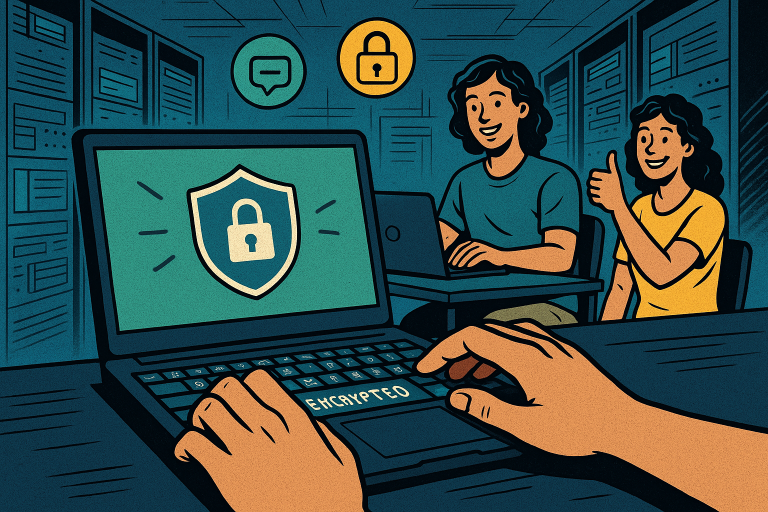
Let’s face it—working remotely has some serious perks. No commute, sweatpants all day, and the ability to set up your laptop from anywhere with Wi-Fi. But all that freedom also comes with a responsibility many remote workers overlook: keeping your digital workspace secure. At VIP Safety First, we’re here as your supportive teammate to walk you through the best remote safety practices, backed by data and designed for digital industry workers like you. Let’s dive into the essential cyber privacy tips that will keep your remote work life safe and secure.
Why Remote Work Demands More Cybersecurity Than Ever
Nearly 59% of the U.S. workforce reported working remotely at some capacity, according to Gallup. And while that shift offers flexibility, it also expands the cyberattack surface for hackers. In fact, a report by IBM found that remote work increased the average data breach cost by $137,000.
So why does this happen? Because remote work environments typically don’t have the same layered defenses as corporate offices. Home routers, personal devices, and unsecured connections create lots of weak points. That’s why investing in your cyber hygiene isn’t optional—it’s essential.
Use a VPN: Your First Line of Defense
Did you know around 36% of remote workers use public Wi-Fi weekly? That’s an open invitation for cybercriminals. The best way to protect your connection—whether you’re in a coffee shop or in your living room—is with a Virtual Private Network (VPN).
A VPN encrypts your internet traffic, keeping your data out of reach from prying eyes. Think of it as a secure tunnel between you and the world wide web. Data suggests that using a VPN can reduce cyber threats by up to 50%, especially when connecting to unsecured networks.
Cyber privacy tip: Choose a VPN with a strict no-logs policy and AES-256 encryption, like NordVPN or ExpressVPN.
Secure Your Devices: Basics You Can’t Ignore
Over 80% of breaches involve weak or stolen passwords, according to Verizon’s Data Breach Investigations Report. Simply put, securing your devices saves you major headaches down the road.
- Use strong, unique passwords for each account. A password manager can help you manage them securely.
- Set up multi-factor authentication (MFA) for all critical logins. MFA reduces the risk of account compromise by 99.9%, according to Microsoft.
- Keep your OS and software updated. Most updates fix known vulnerabilities—don’t skip them!
Cyber privacy tip: Enable automatic updates whenever possible and avoid using outdated apps or plugins.
Cloud Storage vs. Local Storage: What’s Safer?
It’s tempting to save everything to your desktop. But in the event of malware, device loss, or hard drive failure, you could lose everything. Enter cloud storage.
Cloud services like Google Drive, Dropbox, and OneDrive offer encrypted, redundant storage options that are generally more secure than your local disk.
Let’s break down the numbers:
- Cloud-based accounts with robust settings experience 25% fewer incidents of data loss compared to local files.
- Cloud storage providers invest millions annually in cybersecurity infrastructure. Most individual remote workers don’t.
Cyber privacy tip: Enable two-factor authentication on your cloud storage account and limit access to only trusted networks.
Video Calls: A New Frontier for Cyber Eavesdropping
Over half of U.S. workers now rely on video conferencing tools like Zoom, Teams, and Google Meet. But these platforms can be entry points for cyber threats, too. You might remember the infamous “Zoom-bombing” incidents early in the pandemic.
Here’s how to stay secure:
- Always use password-protected meeting rooms.
- Disable screen sharing unless it’s absolutely necessary.
- Update conferencing software regularly to patch vulnerabilities.
Cyber privacy tip: Avoid sharing sensitive files or data via chat functions. Instead, use encrypted email or secure file transfer tools.
Email and Phishing Prevention: Stay Sharp
Phishing attacks are on the rise, especially targeting remote workers. An estimated 91% of cyberattacks start with a phishing email. These emails may look legitimate, but a single click can lead to disastrous consequences.
Here’s how to spot phishing attempts:
- Look out for spelling errors, suspicious links, or sender addresses that don’t match their supposed domain.
- If it feels rushed or “too good to be true,” double check before responding.
- Use email filters and report suspicious messages to your IT team.
Cyber privacy tip: Train yourself in phishing simulations and regularly test your own alertness. It’s like a workout for your email brain.
Backups: Your Digital Safety Net
Even with all precautions, accidents happen. Ransomware, accidental deletion, or system failure can leave you scrambling. That’s why regular backups are a must.
A good rule of thumb: 3 copies of your data (original, external backup, and a cloud copy).
This strategy, often called the 3-2-1 backup method, has become a standard in the cybersecurity world. According to Datto, businesses that backed up data both locally and to the cloud had 96% recovery rates.
Cyber privacy tip: Automate your backups and test restoration processes quarterly. A backup without a successful test is just a hope.
Set Boundaries Between Work and Personal Tech
This one’s easy to overlook. But using the same device for work, personal browsing, banking, and social media can create contamination risks. If malware infects your personal profile, your work files could be next.
Cyber privacy tip: Use different user accounts for work and personal use. Better yet, separate machines if you can afford it.
Monitor for Breaches: Stay Ahead with Proactive Tools
Cyber threats evolve constantly, and staying alert is half the battle. Tools like HaveIBeenPwned, antivirus software, and browser security extensions help you monitor compromises in real-time.
Also, consider dark web monitoring services. These check to see if your credentials have been leaked and give you a head start on remediation.
Cyber privacy tip: Use browser extensions like HTTPS Everywhere and ad blockers to reduce exposure to tracking and malicious scripts.
Let VIP Safety First Be Your Remote-Safety Ally
At VIP Safety First, safety isn’t just a checklist—it’s a lifestyle. We believe every remote worker deserves the peace of mind that comes from knowing their digital workspace is locked down tight. From cyber privacy tips to real-time tools and guides, we’re here to support your safety journey every step of the way.
Remote work is here to stay—so let’s make sure your safety game is too. Get started today.