
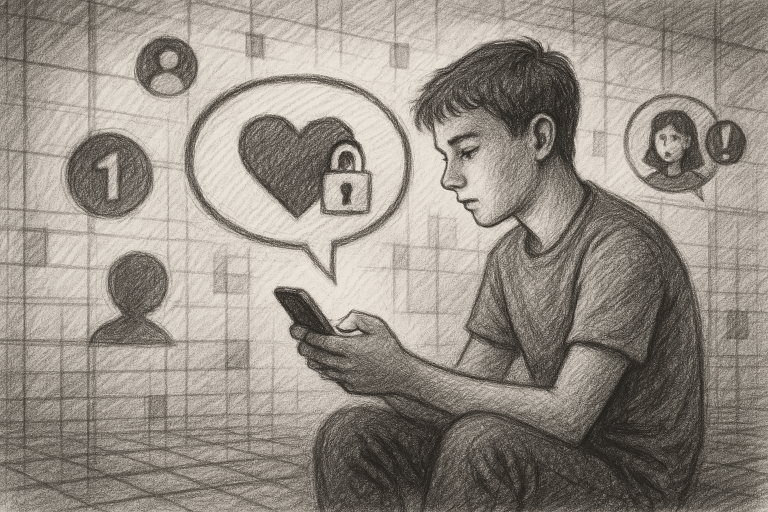
When Maya’s parents noticed a sudden increase in spam calls, suspicious texts, and unfamiliar social media messages on her phone, they assumed the problem was simple: she needed to be more careful. Like many parents, they believed digital safety depended mainly on avoiding unknown links, keeping accounts private, and ignoring strange messages. But a closer review revealed a more complicated reality. Maya was not reckless; she was navigating a digital world designed to capture attention, encourage quick responses, and blur the line between ordinary communication and manipulation. This case study explores seven common misconceptions about teen digital safety and explains what parents can do to build stronger, smarter protection at home.
1. Misconception: “My teen will recognize a scam immediately.”
Many parents assume that teens, as digital natives, naturally understand online risks. In practice, familiarity with technology does not automatically create expertise in privacy, fraud prevention, or social engineering. Teens may be highly skilled at using apps while still being vulnerable to messages that create urgency, curiosity, fear, or excitement.
In Maya’s case, one text appeared to come from a delivery company. It stated that a package could not be delivered and included a link to “confirm” her address. The message looked professional and arrived during a week when her family was expecting an online order. Maya was not careless; the timing made the message believable.
Expert analysis: Scammers rarely rely on obvious mistakes. They use familiar logos, realistic language, current events, and information gathered from public profiles. The most effective defense is not simply telling teens to “spot the scam.” Teach them to pause whenever a message requests personal information, payment, a login, or immediate action.
A useful family rule is: Urgency is a reason to slow down, not speed up. Encourage your teen to verify the sender through an official website or a trusted phone number rather than using the contact details provided in the message.
2. Misconception: “Private accounts make teens safe.”
Privacy settings are valuable, but they are not a complete safety system. A private account can still be compromised, viewed by approved followers, copied through screenshots, or exposed when a friend’s account is hacked. In addition, teens may accept follow or friend requests from people they do not know well simply because they share mutual contacts or interests.
Maya’s parents discovered that an unfamiliar account had been interacting with her posts for several weeks. The profile appeared to belong to another teenager, but it had few original posts, limited history, and inconsistent details. The account had gained Maya’s trust by commenting on topics she enjoyed.
Expert analysis: Privacy is not a single setting; it is a continuing process of deciding who can access information, what they can see, and how that information might be used. Parents should help teens review followers, connected apps, location-sharing permissions, tagging controls, and direct-message settings.
Rather than demanding access to every account, begin with collaborative safety reviews. Ask questions such as: “Who can message you?” “Can strangers see your location?” and “What would happen if someone took a screenshot of this post?” This approach develops judgment instead of creating a cycle of secrecy and surveillance.
3. Misconception: “Spam calls and texts are just annoying, not dangerous.”
Spam may begin as an inconvenience, but repeated calls and texts can become a pathway to phishing, identity theft, harassment, or emotional manipulation. A teen who receives frequent unwanted messages may eventually respond simply to make them stop. That response can confirm that the number is active and invite more contact.
Maya had received several texts claiming that she had won a gift card. When she ignored them, the messages became more urgent. One stated that she had only ten minutes to claim the prize. Another asked her to reply with a code. Although she did not provide the code, the experience made her anxious and distracted her from schoolwork.
Expert analysis: The right goal is not merely to ignore every unknown message. Families should establish a process to identify, block, report, and document suspicious communication. Teens should know that they can show a parent a concerning message without being blamed for receiving it.
Parents can also help teens stop spam calls and texts by using carrier-level protections, device filtering tools, and reputable digital safety services. Review these protections regularly, because scammers change tactics and teens may use multiple devices or messaging platforms. Most importantly, remind your teen never to reply “STOP” to an unknown sender unless the message comes from a verified organization; replying can sometimes confirm that the number is active.
4. Misconception: “If a message includes personal details, it must be legitimate.”
Personalization often creates trust. A scammer may know a teen’s first name, school, sports team, city, or favorite hobby because that information is visible on social media or available through data leaks. Parents may also assume that a message containing accurate details could only have come from someone familiar.
In Maya’s situation, a direct message mentioned her school’s upcoming event and used the name of a club she followed. That detail made the sender appear credible. However, the information had been publicly posted and could have been collected by anyone.
Expert analysis: Accuracy is not proof of identity. Teach teens to distinguish between information a sender knows and evidence that the sender is trustworthy. Verification should happen through a separate channel, especially when the conversation involves money, account access, private photos, or meeting in person.
Parents should also model careful sharing. Avoid posting unnecessary details about routines, travel plans, school schedules, or identifying information. A teen learns digital boundaries not only from parental rules but from observing how adults manage their own online presence.
5. Misconception: “Strong passwords solve the whole problem.”
Strong, unique passwords are essential, but account security involves more than password length. If a teen reuses the same password across platforms, one compromised account can place several others at risk. Phishing pages can also capture even a strong password if the user enters it into a fraudulent website.
After Maya received the delivery scam, her parents helped her review her accounts. They found that she had reused a variation of the same password for multiple services. No account had been visibly hacked, but the pattern created unnecessary exposure.
Expert analysis: Teens should use unique passwords or passphrases, ideally stored in a trusted password manager. Enable multifactor authentication wherever possible, particularly for email, financial apps, social media, and cloud storage. Email deserves special attention because it is often the recovery key for other accounts.
Explain that multifactor authentication is not an inconvenience; it is a second barrier. If a password is stolen, the additional verification step can prevent unauthorized access. Teens should also learn never to share authentication codes, even when a message claims to be from a friend, support representative, or school administrator.
6. Misconception: “Monitoring means reading every conversation.”
Parents understandably want to know whether their teens are safe. However, constant inspection of private conversations can damage trust and encourage teens to hide problems. At the same time, offering no guidance leaves young people to manage sophisticated risks alone. Effective monitoring requires balance, transparency, and age-appropriate expectations.
Maya’s parents initially considered checking every message on her phone. Instead, they created a digital safety agreement. It outlined which information should never be shared, when parents would be notified, how suspicious content would be handled, and what would happen if a mistake occurred. They also scheduled monthly reviews of privacy settings and device protections.
Expert analysis: The most successful family safety plans combine technology with communication. Use parental controls where appropriate, but explain what they do and why they are being used. Focus on high-risk indicators, including requests for money, threats, coercion, secret conversations with unknown adults, sudden password changes, and attempts to move conversations to less visible platforms.
Make one promise clear: reporting a problem will lead first to help, not punishment. A teen who expects immediate anger may delete evidence or remain silent. A teen who expects support is more likely to ask for assistance early.
7. Misconception: “Digital safety is a one-time setup.”
Installing security tools and adjusting privacy settings is a strong beginning, but digital safety must evolve. New apps appear, operating systems change, scams follow trends, and teens gain more independence. A system that worked last year may not be enough today.
For Maya’s family, the most meaningful improvement was not a single app or setting. It was the creation of a repeatable routine. They reviewed account security after major updates, discussed suspicious messages without blame, checked whether location sharing was necessary, and practiced how to respond to urgent requests.
Expert analysis: Treat digital safety as a leadership responsibility. Parents do not need to know every platform or predict every threat. They need to create an environment where learning, verification, and responsible action are normal. Short, regular conversations are more effective than one intense lecture after something goes wrong.
Consider holding a monthly “digital check-in” focused on one topic: spam protection, password health, social media privacy, online purchases, gaming chats, or image sharing. Invite your teen to explain the platforms they use. This turns safety into a shared skill rather than a set of restrictions imposed from above.
What parents can do this week
Maya’s experience shows that prevention does not require perfection. Begin with practical steps that reduce risk and strengthen communication:
- Create a pause rule: No clicking, replying, paying, or sharing personal information when a message creates urgency.
- Review privacy settings: Check direct messages, location sharing, tagging, followers, and connected applications.
- Secure important accounts: Use unique passwords and enable multifactor authentication, starting with email.
- Build a reporting routine: Block and report suspicious senders, preserve evidence when necessary, and tell a trusted adult.
- Discuss boundaries: Make clear that private photos, login details, verification codes, and financial information should never be shared in response to pressure.
- Use protective tools: Activate device and carrier features designed to filter unwanted calls and messages, then review their effectiveness.
- Keep communication open: Respond to mistakes with calm problem-solving so your teen feels safe asking for help.
These steps are simple, but together they create a stronger defense than fear-based warnings alone. They also teach teens a valuable lifelong skill: confident decision-making in an environment built to provoke fast reactions.
Digital risks will continue to change, but parents can lead with preparation, empathy, and consistency. Maya did not need a perfect online record; she needed trusted adults who could help her interpret unfamiliar situations and respond wisely. By challenging common misconceptions, strengthening everyday habits, and using the right protective tools, your family can turn digital safety from a source of anxiety into a foundation for independence. Visit vipsafetyfirst.com and get started today building a safer digital future for your teen.