
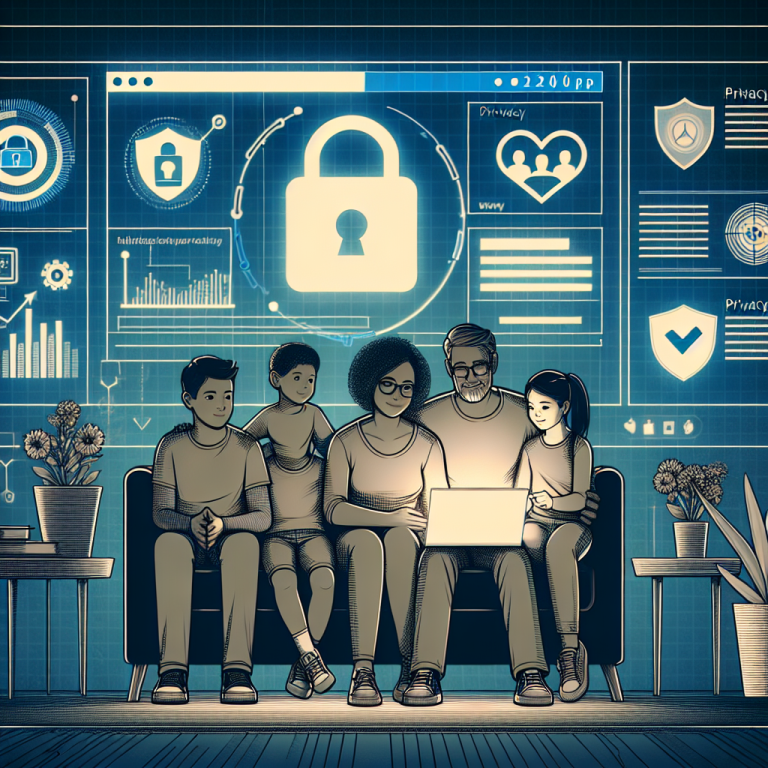
In today’s interconnected digital world, a single slip can expose your personal information to identity theft, cyberstalking, or worse. While most consumers know they should be more cautious online, they often lack the tools or real-life examples to take meaningful action. In this post, we’ll explore a real-life story of a privacy-conscious family who faced a major cyber privacy threat—and the 10 steps they took to secure their digital lives. Let their experience guide you through best practices and professional cyber privacy tips that you can start implementing today.
The Wake-Up Call: A Real-Life Data Breach at Home
The Jackson family, a tech-savvy household of four from Portland, Oregon, believed they had a good handle on internet safety. Parents Melissa and Bryan worked remotely, their teens used social media and gaming platforms, and like most of us, they lived their lives digitally. However, things took a turn when Melissa noticed bank charges she didn’t recognize and their son received phishing messages on gaming apps, asking for login credentials.
After several days of confusion and stress, they discovered that their home Wi-Fi had been breached due to an outdated router firmware. One attacker had intercepted network traffic and accessed sensitive information like medical records, online banking, and private messages. In the following weeks, the Jacksons committed themselves to learning—and applying—the best cyber privacy strategies available. Here’s how they protected themselves and how you can, too.
1. Upgrade and Secure Your Home Network
The Jacksons’ first mistake was assuming their home Wi-Fi was secure. Their router’s firmware hadn’t been updated in over two years, leaving critical vulnerabilities open to exploitation.
Tip: Set automatic updates on your router or manually update every 3–6 months. Change your network SSID to something unidentifiable and create a strong, unique Wi-Fi password.
2. Use Multi-Factor Authentication (MFA) for All Accounts
Once compromised, the Jacksons’ passwords offered little resistance to attackers. They quickly learned that MFA could stop a hacker—even if they had your password.
Tip: Enable MFA wherever it is available, especially for email, banking, and cloud storage accounts. Consider using app-based authenticators rather than SMS, which can be intercepted.
3. Implement a Password Manager
Like many families, the Jacksons reused passwords across platforms. After the breach, they shifted to using a trusted password manager.
Tip: Use a password manager to generate complex, unique passwords for every service. VIPSafetyFirst.com recommends using managers that offer encrypted local storage for improved safety.
4. Educate the Whole Family
Teenagers in the Jackson family were most susceptible to phishing. They interacted freely on apps and clicked on links without verifying sources.
Tip: Host family meetings about safe online behavior. Discuss suspicious messages, the dangers of oversharing, and reviewing privacy settings regularly.
5. Audit and Limit App Permissions
After reviewing their phones, Melissa realized apps had access to her microphone, camera, and contacts without valid reasons.
Tip: Review app permissions monthly. Disable unnecessary access and delete apps you don’t use.
6. Freeze Your Credit as a Proactive Step
To prevent identity fraud, the Jacksons froze their credit with major reporting agencies. This prevented criminals from opening new lines of credit in their name.
Tip: Contact Equifax, TransUnion, and Experian to freeze your credit. It’s free and easy, and it adds a powerful layer of identity protection.
7. Encrypt Sensitive Files and Communications
To prevent further leakage, the Jacksons began using encrypted file storage and encrypted messaging platforms for sensitive conversations.
Tip: Encrypt tax documents, medical records, and legal paperwork before storing or sharing. Use end-to-end encrypted messaging apps like Signal or ProtonMail.
8. Monitor for Data Breaches
Through a breach notification service, they discovered that Bryan’s email was exposed in three previous corporate hacks.
Tip: Sign up for a breach alert service such as “Have I Been Pwned.” Change your passwords immediately if your data appears in any breach.
9. Use Secure and Private Search Tools
While checking their online footprint, the Jacksons realized just how much data could be scraped by search engines and data brokers. They switched to private search engines and removed their info from tracking services.
Tip: Use search engines like DuckDuckGo or Startpage. For data removal, use reputable privacy services to opt out of data broker sites.
10. Commit to a Digital Minimalism Lifestyle
Ultimately, the Jacksons understood that less digital clutter meant fewer opportunities for a breach. They deleted old accounts, unsubscribed from mailing lists, and drastically minimized their digital exposure.
Tip: Perform quarterly digital cleanups. Close unused accounts, delete outdated files, and reset the privacy on your social media posts.
Conclusion: Privacy Is a Practice, Not a Product
The Jackson family turned a frightening experience into an opportunity to rebuild their digital lives with privacy first. Their story is a reminder that online privacy is not about having nothing to hide, but about protecting what’s yours—from your identity and finances to your family’s peace of mind.
At vipsafetyfirst.com, we believe that cyber privacy tips should be more than generic advice—they should be drawn from real-world experiences and backed by proven solutions. Whether you’re a family like the Jacksons or an individual just wanting more peace of mind, these tips are your starting point toward a safer, smarter digital lifestyle.
Get started today by auditing your online habits and implementing changes one step at a time. Your privacy is worth protecting—don’t wait for a breach to take action.